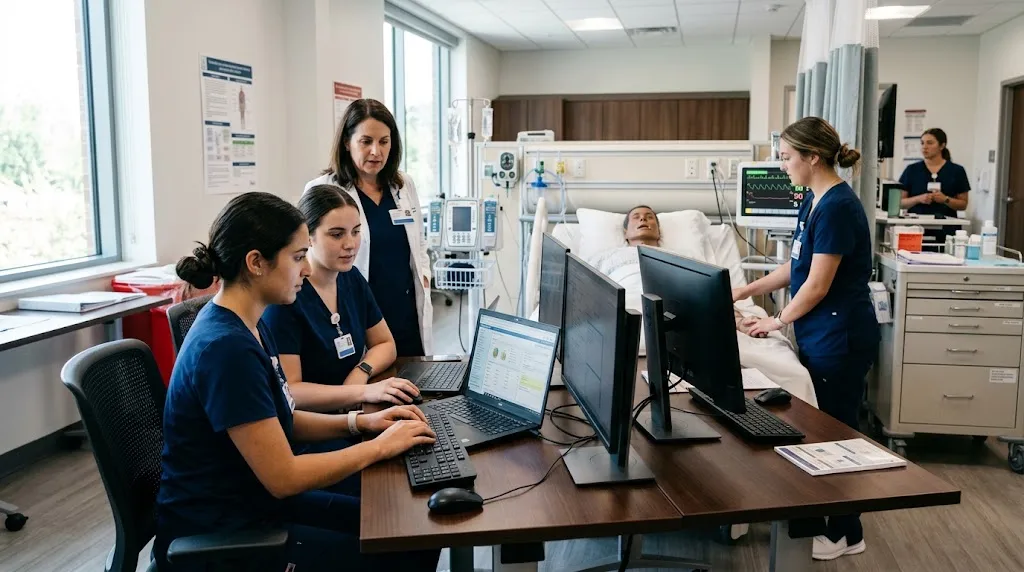
Healthcare simulation gives students an opportunity to practice clinical skills in a controlled learning environment. But a realistic simulation does not end when the patient encounter is complete. Students also need to understand how clinical information is documented, reviewed, and communicated through electronic health records.
An EHR for simulation can connect these two parts of healthcare education. By using simulated patient records, educators can allow students to practice documentation alongside clinical decision-making without working with real patient information.
For nursing programs, simulation labs, and other healthcare education settings, choosing the right platform requires careful consideration of realism, usability, instructor controls, and educational value.
Why Use an EHR During Healthcare Simulation?
Traditional simulation activities often focus on clinical performance. Students may assess a patient, identify problems, administer treatments, or communicate with other members of a healthcare team.
Documentation can be added to this process by giving students a simulated electronic record to work with before, during, or after the scenario.
This can help students understand that clinical care and documentation are connected.
For example, after completing a simulated patient assessment, students may need to record relevant findings, review existing information, or document actions taken during the scenario.
This creates a more complete learning experience.
What Should an EHR for Simulation Provide?
There is no single feature that determines whether an EHR is useful for simulation.
Instead, educators should consider how the platform supports their learning objectives and simulation workflow.
Important areas to evaluate include:
- Realistic patient scenarios
- Documentation practice
- Patient chart review
- Instructor controls
- Assignment creation
- Student feedback
- Ease of use
- Multiple course support
- Accessibility
- Scalability
The system should complement the simulation rather than make the activity unnecessarily complicated.
1. Realistic Patient Information
Students learn more effectively when simulation scenarios resemble the types of situations they may encounter during their education and future careers.
A useful platform can provide simulated information such as:
- Patient history
- Vital signs
- Allergies
- Medications
- Clinical notes
- Assessment findings
- Other relevant patient details
The information does not need to reproduce a real hospital system perfectly. Instead, it should provide enough context for students to understand how electronic records support clinical work.
2. Documentation Practice
Documentation is an essential part of healthcare practice, but students may have limited opportunities to practice it in realistic circumstances.
An EHR simulation environment can provide that opportunity.
Students can be asked to document findings from a scenario, review information, or complete specific documentation activities based on their course objectives.
This can help them develop familiarity with electronic documentation before encountering production systems in clinical settings.
The educational environment also gives instructors the opportunity to identify mistakes and provide feedback without involving real patients.
3. Connection Between Simulation and EHR Workflows
One advantage of integrating an EHR into simulation is that students can see how different parts of a clinical encounter connect.
A scenario might begin with a patient history. Students then assess the simulated patient, identify relevant information, perform an activity, and document the outcome.
This creates a workflow that combines clinical reasoning with digital documentation.
For simulation educators, this can make the exercise more comprehensive without requiring a completely separate documentation assignment.
4. Instructor Controls Matter
Faculty members need practical tools to manage simulation activities.
Before choosing a platform, educators should determine whether they can create or customize scenarios and whether they can review student work afterward.
Useful instructor capabilities may include:
- Creating patient scenarios
- Assigning activities
- Managing student access
- Reviewing documentation
- Providing feedback
- Adapting activities to different courses
A system that is easy for students but difficult for instructors can create unnecessary administrative work.
5. Support Different Levels of Learners
Not every student enters a simulation lab with the same level of experience.
Beginning students may need simple documentation activities, while advanced learners may be ready for more complex scenarios.
A flexible EHR platform should allow educators to adjust activities according to student level.
For example, introductory students might focus on finding information in a patient chart, while advanced learners could be asked to document findings following a more complex simulated encounter.
This flexibility can help educators use the same technology across multiple stages of a healthcare program.
6. Consider Different Healthcare Programs
Simulation is not limited to nursing education.
Medical assistant, EMT, allied health, and other healthcare programs may also benefit from simulated electronic documentation.
When evaluating an EHR, institutions should therefore consider whether the platform can support different educational disciplines.
A solution that works across multiple programs may provide greater long-term value than one designed for a single narrow use case.
7. Ease of Use for Students
Students should not need extensive technical training before they can participate in a simulation.
An intuitive interface can help keep attention focused on the educational activity.
Educators should consider:
- How quickly students can learn the system
- Whether navigation is straightforward
- How easily students can access patient records
- Whether assignments are simple to understand
- Whether the platform can be used outside scheduled lab sessions
Ease of use becomes particularly important when instructors have limited classroom time.
8. Accessibility Outside the Simulation Lab
Students may benefit from being able to continue practicing outside scheduled simulation sessions.
If the platform supports remote access, instructors may be able to assign additional documentation exercises as homework or independent practice.
This can extend the value of simulation technology beyond the physical lab.
However, educators should always confirm that the platform’s access model fits their institution’s requirements and course structure.
9. Evaluate Integration With Existing Teaching
Introducing a new platform should not require educators to redesign an entire course.
Instead, the EHR should fit naturally into existing teaching activities.
For example, instructors could incorporate simulated documentation into:
- Nursing simulation
- Case studies
- Clinical preparation
- Skills assessments
- Homework
- Group activities
- Healthcare technology lessons
The easier it is to incorporate the platform into current teaching, the more likely faculty and students are to use it consistently.
10. Pricing and Scalability
Cost should be considered alongside the educational value of the system.
Institutions should determine whether pricing is based on students, instructors, courses, programs, or another model.
It is also important to ask whether additional charges apply to support, implementation, or specific features.
Scalability matters as well. A platform may begin with a single simulation class and eventually expand across multiple programs.
Before committing, administrators should ask whether the system can accommodate increasing student numbers and additional faculty users.
Using an Educational EHR in Simulation
An educational EHR can be particularly useful when simulation is designed around a complete patient-care workflow.
Students might first review a patient’s simulated history and then participate in a scenario. Following the encounter, they can return to the record and document relevant information.
This creates an opportunity to connect:
Patient information → Clinical assessment → Decision-making → Documentation → Review
Such a workflow can help students understand why accurate electronic documentation matters in healthcare.
ChartFlow as a Simulation Resource
Healthcare educators evaluating an EHR for simulation can consider platforms specifically designed around educational use.
ChartFlow provides an educational EHR environment that allows students to work with simulated healthcare scenarios and practice electronic documentation.
This can be useful for programs looking to incorporate EHR activities into nursing education, healthcare simulation, or other training environments.
ChartFlow also provides student-focused educational resources through its course catalog, which includes learning opportunities for healthcare students.
For educators, the combination of simulated EHR practice and broader educational resources can provide additional ways to connect technology with classroom learning.
Questions for Simulation Educators
Before selecting an EHR platform, simulation staff can ask:
- Can students work with realistic simulated patient records?
- Can the system support documentation activities?
- Can instructors create or customize scenarios?
- Can faculty review student work?
- Can it support different student experience levels?
- Can the platform be used across multiple healthcare programs?
- Is the interface easy to learn?
- Can students access activities outside the simulation lab?
- Is pricing clear?
- Can the system scale as the program grows?
These questions can help educators focus on practical educational requirements rather than simply comparing feature lists.
Common Mistakes to Avoid
One common mistake is treating EHR training and clinical simulation as completely separate activities.
When appropriate, combining them can create a more realistic workflow for students.
Another mistake is choosing a platform because it looks similar to a commercial healthcare system without considering whether it is actually useful for teaching.
Educators should prioritize learning objectives, student experience, instructor usability, and curriculum integration.
It is also important not to assume that every student needs the same level of complexity. Activities should match the learner’s experience and course objectives.
Final Thoughts
An EHR for simulation can add an important digital component to healthcare education. It allows students to practice electronic documentation and patient-record workflows alongside clinical scenarios in a controlled environment.
For nursing schools, simulation labs, and other healthcare education programs, the best platform should be realistic enough to support meaningful practice while remaining simple enough for students and instructors to use effectively.
Before choosing a system, evaluate its patient scenarios, documentation capabilities, instructor controls, usability, accessibility, scalability, and overall educational value.
When the technology fits naturally into simulation and coursework, it can become more than another software tool—it can become a practical part of preparing students for modern healthcare environments.